Burger Dash Game
Burger Dash is a two player game written in TypeScript using the WebGL Library. Players compete to race around the map and build their burger first. The github repository for this project and some others I made for this class are available here
Models and Animation
Multiple game elements, such as the player, trees, and burger ingredients, were created in blender. I exported them and used an external library to load them into webgl. The moving trees were also animated in blender and the player moving animation was done using motion capture (so it's an animation of me walking you're looking at!).
Motion Capture
The player animation is a motion capture of me! We recorded a few movements in the JMU Motion capture lab. I attached the animation file to a 3D model I made in Blender. This video shows the full animation as captured. The start of the animation is wonky (Halfway through the video) due to some kind of corruption or error in the recording. It caused me some trouble during development, but I solved it by starting the animation further on.
Textures
Every model in the game is textured. I used a variety of PNGs as the textures. In fact, texturing works much simpler than it looks. The renderer transposes the coordinate of the model to a pixel on the reference image, and draws that image to the screen. Texturing also allowed me to reuse some of the models: I have one model for the burger patty, tomato, and cheese and just changed the texture image and scaling.
Fog
In the last step before drawing to the screen, I added one last transformation to the pixel color before drawing to the screen. I added some shader code that increases the opacity of the pixels further away from the player, creating a foggy effect. It was pretty simple to implement and adds a lot to the atmosphere of the game area.
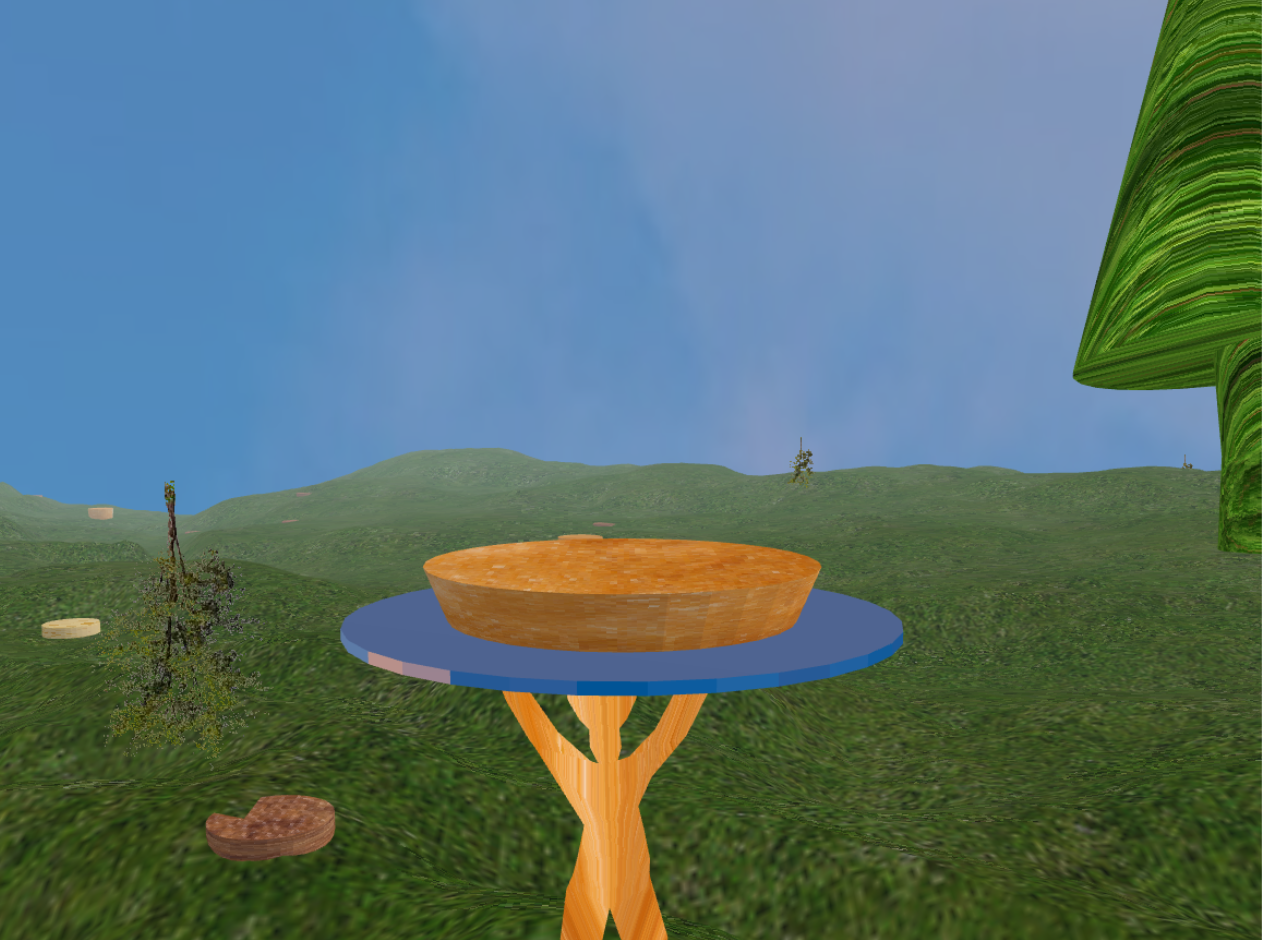
The opacity of each pixel is a function of its distance from the camera. Closer pixels are more clear than further pixels, creating a simple foggy effect.
Billboarding
The small shrubs are created using a combination of multiple effects. It's first textured using a reference image of a shrub. The image has a dark gray background, and I added a check that only draws the pixel if it is not a gray pixel. This makes the shrub see thru, allowing everything in the background to be seen through the shrub. Finally, I used a technique called "Billboarding", which rotates the shrub to face the player every frame. The rotation is noticable up fron, but further away it makes the shrub look 3d. These tricks make a 2d image of a shrub look like a 3d model without adding a ton of computational complexity from another model.
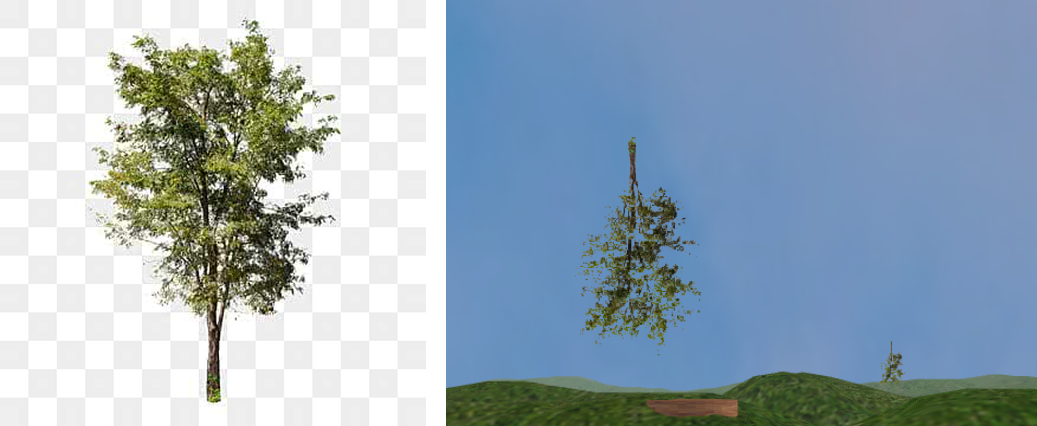
The source image of the shrub vs the image in the game. The shader writes the pixel from the image to the screen if the green channel is over a certain threshold
Sky
I created the sky using a "skybox". A skybox is a 3d cube rendered as a box around the camera with everything else in the environment rendered in front of it. It's textured using 6 images of a sky that combine to create a seamless background from all angles.
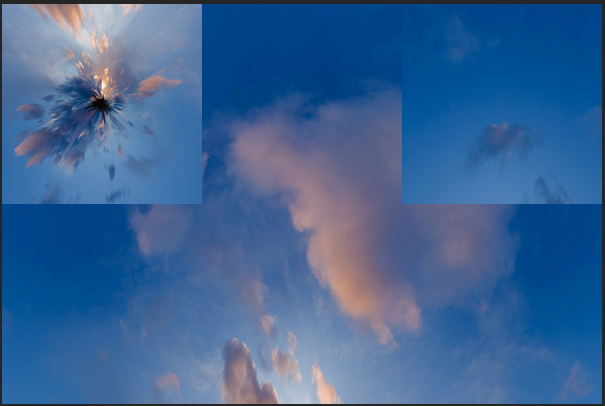
These 6 PNGs combine to create the sky. Each image is a face of a cube, with the camera placed in the middle